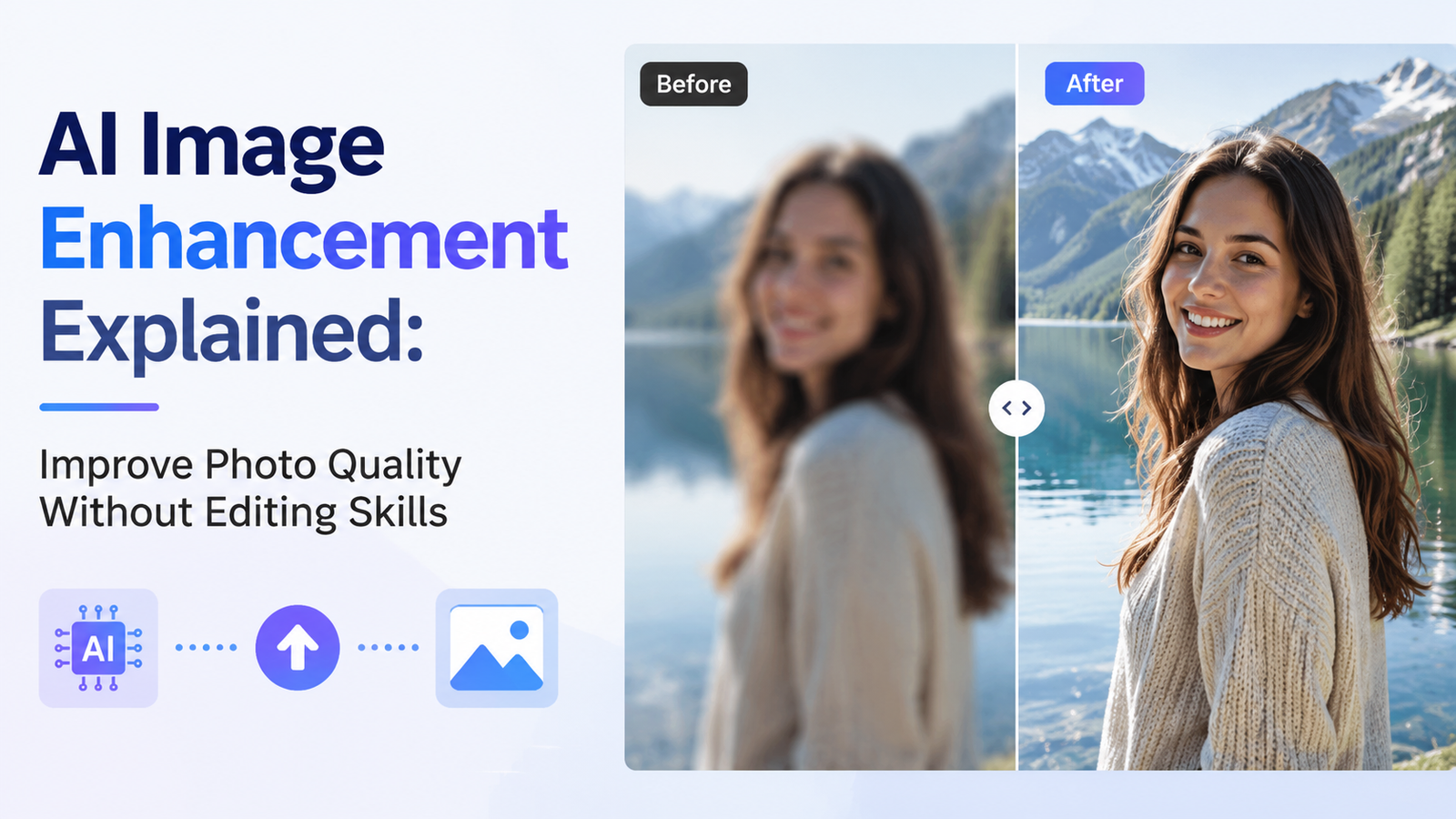
AI Image Enhancement Explained: Improve Photo Quality Without Editing Skills

Introduction: Why Better Image Quality Matters More Than Ever
In today’s digital-first world, images play a vital role in how we communicate, share experiences, and present ourselves. Whether you’re posting on social media, selling products online, creating marketing materials, or preserving precious family memories, the quality of your photos can significantly impact how they’re perceived.
A crisp, clear, and vibrant image naturally attracts more attention than one that’s blurry, dull, or pixelated. High-quality visuals improve engagement on social platforms, build trust for businesses, and help preserve important memories with greater clarity. For content creators and professionals, polished photos also contribute to a stronger personal or brand image.
Fortunately, achieving professional-looking results is no longer limited to photographers or graphic designers. Thanks to advances in artificial intelligence (AI), anyone can enhance photo quality with just a few clicks. AI-powered image enhancement tools automate many of the technical adjustments that once required years of editing experience, making photo improvement accessible to beginners and professionals alike.
This guide explains what AI image enhancement is, how it differs from traditional editing, why complex software isn’t always necessary, and how tools like Leawo Photo Enhancer can help users improve image quality quickly and effortlessly.
Part 1. What Is Image Enhancement?
Understanding Image Enhancement
Image enhancement is the process of improving the technical quality of a photograph without changing its original content. Unlike creative editing, which alters the appearance or composition of an image, enhancement focuses on correcting common visual imperfections while preserving the authenticity of the original photo.
Modern AI technology analyzes every part of an image and intelligently applies improvements based on learned patterns from millions of photographs. Instead of manually adjusting dozens of settings, users simply upload a photo and let the AI optimize it automatically.
Common Image Problems AI Can Improve
AI-powered enhancement software is designed to solve many common issues that affect image quality.
Blurry or Soft-Focus Images
One of the most common questions users ask is how to enhance a blurry photo. AI can identify blurred edges and reconstruct missing details, making images appear significantly sharper while maintaining a natural look.
Low-Resolution Photos
Older digital images or photos downloaded from messaging apps often suffer from low resolution. AI enhancement can intelligently upscale these images, increasing their size while minimizing pixelation and preserving important details.
Digital Noise
Photos taken in poor lighting conditions frequently contain grain or digital noise. AI algorithms reduce this unwanted texture while preserving important details, resulting in cleaner, smoother images.
Weak Lighting and Faded Colors
Images captured under difficult lighting conditions may appear flat or washed out. AI enhancement improves brightness, contrast, and color balance to create more vibrant and visually appealing photos.
See also: Custom Ornaments: The Perfect Way to Celebrate Life’s Special Moments
Essential Concepts for Beginners
Photo Editing vs. Image Enhancement
Although the terms are often used interchangeably, photo editing and image enhancement serve different purposes.
Photo editing emphasizes creative changes. This includes adding filters, removing objects, replacing backgrounds, creating artistic effects, or combining multiple images.
Image enhancement, on the other hand, concentrates on improving technical quality. It sharpens details, improves clarity, balances colors, reduces noise, and restores image quality without fundamentally changing the original photograph.
Traditional Editing vs. AI Enhancement
Traditional editing software gives users complete control over every aspect of an image. While this flexibility is valuable for professionals, it also requires technical knowledge, patience, and extensive practice.
AI enhancement dramatically simplifies the process. Instead of adjusting dozens of sliders manually, intelligent algorithms automatically determine the best improvements based on the content of the image.
As a result, beginners can produce high-quality photos without learning complicated editing techniques. This accessibility has transformed image enhancement into a practical solution for everyday users.
Part 2. Why Photoshop Can Be Difficult for Beginners
Adobe Photoshop has earned its reputation as one of the world’s most powerful image editing applications. It offers nearly unlimited creative possibilities and remains the preferred choice for many professional photographers, designers, and digital artists.
However, its capabilities come with considerable complexity.
Feature-Rich Interface
Photoshop contains hundreds of tools, panels, menus, and customization options. New users often feel overwhelmed by the sheer number of available features before making even the simplest adjustments.
Steep Learning Curve
Learning Photoshop requires understanding concepts such as layers, masks, blending modes, smart objects, adjustment layers, selections, and non-destructive editing. Mastering these skills can take weeks or even months.
Time-Intensive Manual Editing
Improving photo quality in Photoshop often involves manually adjusting sharpening, contrast, noise reduction, color correction, and resizing. Every image may require different settings, making the process time-consuming.
More Than Most Users Need
For someone who simply wants clearer vacation photos, sharper portraits, or restored family pictures, Photoshop often provides far more functionality than necessary.
This doesn’t diminish Photoshop’s value as a professional creative tool. Instead, it highlights why AI-powered alternatives have become increasingly popular among casual users. They offer excellent results with dramatically less effort and technical knowledge.
Part 3. Beginner-Friendly Ways to Enhance Photos Without Photoshop
Fortunately, several simple alternatives allow users to improve image quality without investing significant time learning professional editing software.
Method 1. Online Image Enhancement Tools
Browser-based AI enhancement services have become increasingly popular because they require no software installation.
Many users choose to enhance photo quality online by simply uploading an image through their web browser. The AI processes the file and generates an improved version within minutes.
Advantages
- No software installation required.
- Accessible from almost any computer or mobile device.
- Fast processing with user-friendly interfaces.
- Convenient for occasional image enhancement.
Limitations
- Limited editing options.
- File size or upload restrictions.
- Variable output quality depending on the service.
- Internet connection required.
- Privacy concerns when uploading personal photos.
Method 2. Built-In Photo Editing Features
Most smartphones, tablets, Windows PCs, and macOS computers include basic photo editing tools.
These built-in editors are useful for simple adjustments such as:
- Brightness correction
- Contrast improvements
- Cropping
- Rotation
- Basic color adjustments
While convenient, these tools generally lack advanced AI capabilities.
Limitations
- Limited ability to restore lost details.
- Weak upscaling performance.
- Minimal noise reduction.
- Limited sharpening capabilities.
- Few AI restoration features.
They work well for quick touch-ups but cannot match dedicated AI enhancement software when improving image quality significantly.
Method 3. AI Image Enhancement Software (Recommended)
Dedicated AI image enhancement software provides the best balance between simplicity and professional-quality results.
Instead of relying on manual editing, these applications analyze images automatically and apply multiple improvements simultaneously.
Typical capabilities include:
- Automatic image sharpening
- Intelligent color enhancement
- Contrast optimization
- Digital noise reduction
- Detail restoration
- AI-powered upscaling
- Improved overall image clarity
For beginners wondering how to enhance photo quality without learning advanced editing techniques, AI software offers one of the easiest and most effective solutions. Users can often achieve professional-looking improvements in just a few clicks while maintaining the natural appearance of the original image.
Part 4. Improve Photos with Leawo Image Enhancer
4.1 Software Overview
Leawo Photo Enhancer is an AI-powered desktop application developed to simplify image enhancement for users of all experience levels.
Instead of requiring extensive manual adjustments, the software automatically analyzes each image and intelligently improves multiple aspects of photo quality.
Its AI technology can:
- Upscale image resolution
- Improve sharpness
- Restore fine details
- Enhance colors
- Increase contrast
- Optimize overall image quality
This automated workflow makes it suitable for everyday photography, scanned images, portraits, landscapes, product photos, and older digital pictures.
For users already familiar with Leawo PhotoIns, transitioning to Leawo’s AI enhancement solutions is straightforward thanks to the company’s focus on user-friendly photo improvement tools.
4.2 Features Designed for New Users
One of the biggest advantages of Leawo Image Enhancer is its beginner-friendly design.
AI-Powered Optimization
Instead of expecting users to understand complicated editing settings, the software uses AI to detect image problems automatically and apply appropriate corrections.
Clean Interface
The interface remains uncluttered and easy to navigate. Users can quickly locate the necessary functions without becoming overwhelmed by technical controls.
One-Click Workflow
Many enhancements can be completed with only a few clicks, making the software ideal for people with little editing experience.
Minimal Configuration
Unlike professional editing software, users don’t need to spend time adjusting dozens of parameters. The AI performs most of the technical work behind the scenes.
These features help beginners produce noticeably better photos without investing significant time learning advanced editing techniques.
4.3 Step-by-Step Tutorial
Enhancing an image with Leawo Image Enhancer is simple.
Step 1: Launch Leawo Image Enhancer on your computer.
Step 2: Import the photo you want to improve by selecting it from your device.
Step 3: Choose the AI enhancement mode that best matches your image or allow the software to apply automatic optimization.
Step 4: Wait while the AI analyzes the image and performs enhancements such as sharpening, color correction, detail recovery, and noise reduction.
Step 5: Preview the improved image and save the enhanced version to your preferred location.
The entire process typically takes only a short time, making it an excellent option for users who want professional-looking results without complicated editing.
Part 5. Frequently Asked Questions
Is Leawo Image Enhancer Free?
Leawo Image Enhancer offers a free trial that allows users to explore its features before purchasing.
While advanced functionality requires a paid license, many users find it more affordable than maintaining a long-term subscription to professional editing software such as Photoshop.
Does It Support Windows and macOS?
Yes. Leawo Image Enhancer supports both Windows and macOS, allowing users across different platforms to improve their images using the same AI-powered workflow.
What Kind of Results Can Users Expect?
The software is designed to deliver noticeable improvements across many types of photographs.
Common enhancements include:
- Sharper details
- Better edge definition
- More vibrant colors
- Improved contrast
- Reduced digital noise
- Clearer overall appearance
Users often experience especially strong improvements when working with blurry images, older digital photos, or low-resolution pictures that need additional clarity.
Can It Restore Old or Damaged Photos?
AI enhancement performs particularly well on photographs affected by blur, digital noise, faded colors, and low resolution.
While it can substantially improve many older photographs, severely damaged images with large tears, scratches, or missing sections may still require specialized restoration software or manual editing techniques.
Conclusion
AI has fundamentally changed the way people improve their photos. Tasks that once required professional editing skills and hours of manual adjustments can now be completed automatically in just a few clicks. Whether you’re restoring old family pictures, improving smartphone photos, preparing product images for an online store, or creating better social media content, AI-powered enhancement offers an efficient and beginner-friendly solution.
Unlike traditional editing software that demands technical expertise, AI enhancement focuses on intelligently improving sharpness, clarity, color, and detail while preserving the original image. This makes it ideal for users who want impressive results without investing significant time learning complicated editing workflows.
Among the available options, Leawo Photo Enhancer stands out as a practical choice for beginners thanks to its intuitive interface, one-click AI processing, and powerful image optimization capabilities. Combined with the broader photo management features available through Leawo PhotoIns, users have access to reliable tools that simplify photo improvement from start to finish.
Ultimately, the best enhancement method depends on your workflow, experience level, and editing needs. Whether you prefer online tools, built-in device editors, or dedicated AI software, modern technology has made it easier than ever to enhance image quality and bring your photos to life—without becoming an expert photo editor.